

One of the most useful instruments in Bellingcat’s open-source toolkit is its SAR (Synthetic Aperture Radar) ship-tracking workflow, designed to help answer a deceptively simple question: was a vessel docked here at a specific time? The approach relies on a distinctive capability of Sentinel satellites, which “scan” the Earth using radar pulses rather than visible light.
That distinction matters. Radar energy reflects differently depending on what it strikes. Calm sea surfaces and flat ground typically return weaker signals. By contrast, large man-made structures—such as the upper decks and superstructures of cruise ships, cargo vessels, or naval platforms—tend to reflect more energy back to the sensor. In SAR imagery, this often appears as a brighter return. The practical consequence is that researchers can sometimes infer the presence and location of vessels even when conventional optical satellite imagery is inconclusive or unavailable.
This is precisely where Bellingcat’s tool proves valuable. Built on Google Earth Engine (GEE)—a platform for planetary-scale geospatial analysis—it allows researchers to define an area of interest by drawing polygons over ports, docks, anchorages, or coastal corridors, then select a reference date and check whether the radar signal indicates a ship within that footprint.
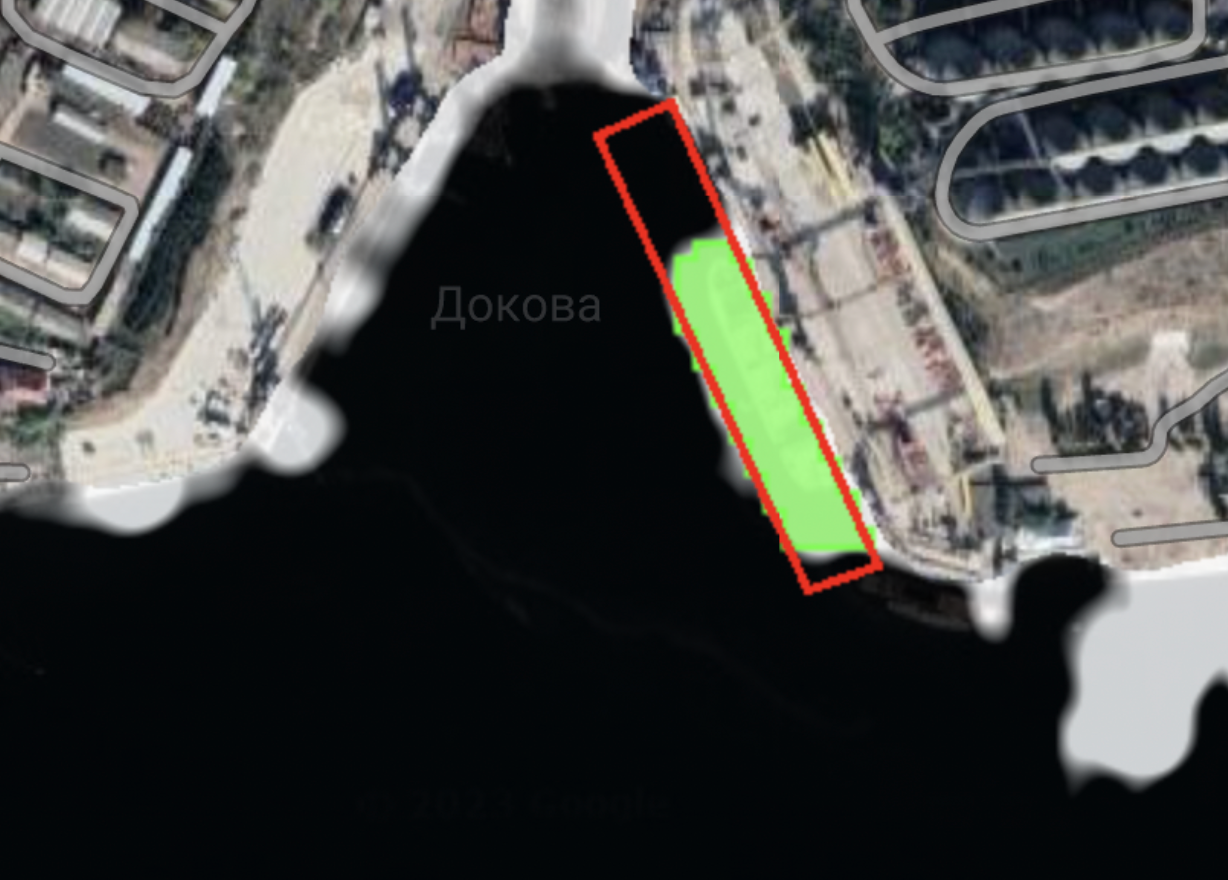
In the example above (taken from Bellingcat’s article), the user draws a red polygon and the tool outputs a bright, high-confidence detection within the selected area—represented as a vivid mask where Sentinel SAR indicates an object consistent with a vessel. As with any OSINT technique, this becomes far more compelling when corroborated with complementary sources such as AIS data, optical satellite imagery, port schedules, enthusiast vessel tracking, or other independent traces.
To better understand how the tool operates under the hood, I created a free Google Earth Engine account and explored whether ChatGPT could help reproduce the core functionality. With iterative testing and minor adjustments, I obtained results comparable in detection behavior to the original workflow. What follows is a practical guide to replicating that ship-tracking method.
- Start by registering for a Google Earth Engine account and create a new project. You will need two-factor authentication (2FA) enabled.
- Next, take the script published on GitHub (the JavaScript is credited to ChatGPT, as I am not a JavaScript specialist) and paste it into the Google Earth Engine Code Editor (“New Script” text-field).

Then save the script and assign it a name (in my case, simply “script”).
At this point, you are ready to run a test. Navigate to your location of interest and draw a polygon around the area where you suspect a vessel may have been docked at the time in question.
For demonstration purposes, I drew a red polygon over the cruise ship dock at Civitavecchia, near Rome.

To draw the polygon, use the small geometry tool in the upper-left menu—specifically the polygon-drawing icon (the second button from the right). Make sure that the polygon name is ‘geometry’.

Before running the script, you can tune several parameters to set the date window, constrain detections, and reduce false positives. The code is commented, so each parameter’s purpose is described directly in the script.

The most relevant controls are:
MIN_LENGTH_M – this filters results by vessel size, counting only detections consistent with ships longer than the specified minimum length.
TARGET_DATE together with PICK_WITHIN_DAYS define the time window for the search. In practice, you are asking the script to find the most relevant SAR observations within a specified number of days around your target date.
WATER_OCC_MIN helps control how the script treats water proximity and coastal complexity. For deep offshore environments, this value can be 0. For near-dock or near-coastline areas, increasing the value (for example, up to 80–85) can help reduce false positives.
THRESHOLD_DB sets the detection threshold in decibels. In many cases it can be 0 or even slightly below 0, depending on conditions and the trade-off you want between sensitivity and precision.
Once the polygon is drawn and the parameters are set, click Run and review the output inside the polygon boundary. In my case, the results indicated that two large cruise ships were docked on July 15, 2025, appearing as clear, bright masks within the selected area.

In the right panel (“Console”), the loaded script will show details about the UNIX timestamps in the selected timeframe (timestamps define the exact date and time the satellite scanned that portion of water) and other data such as the total number of detected ships.
Remember: SAR-based vessel detection is powerful, but it is not a standalone conclusion engine. The most reliable OSINT outcomes come from layering this output with independent evidence—AIS tracks, optical imagery, port activity records, and third-party ship-spotting communities—so that each source either confirms or challenges the others.
Credits, as usual, go to the incredible and talented Bellingcat team, an unvaluable source of inspiration for the entire OSINT community.